 Livewire
Add wires
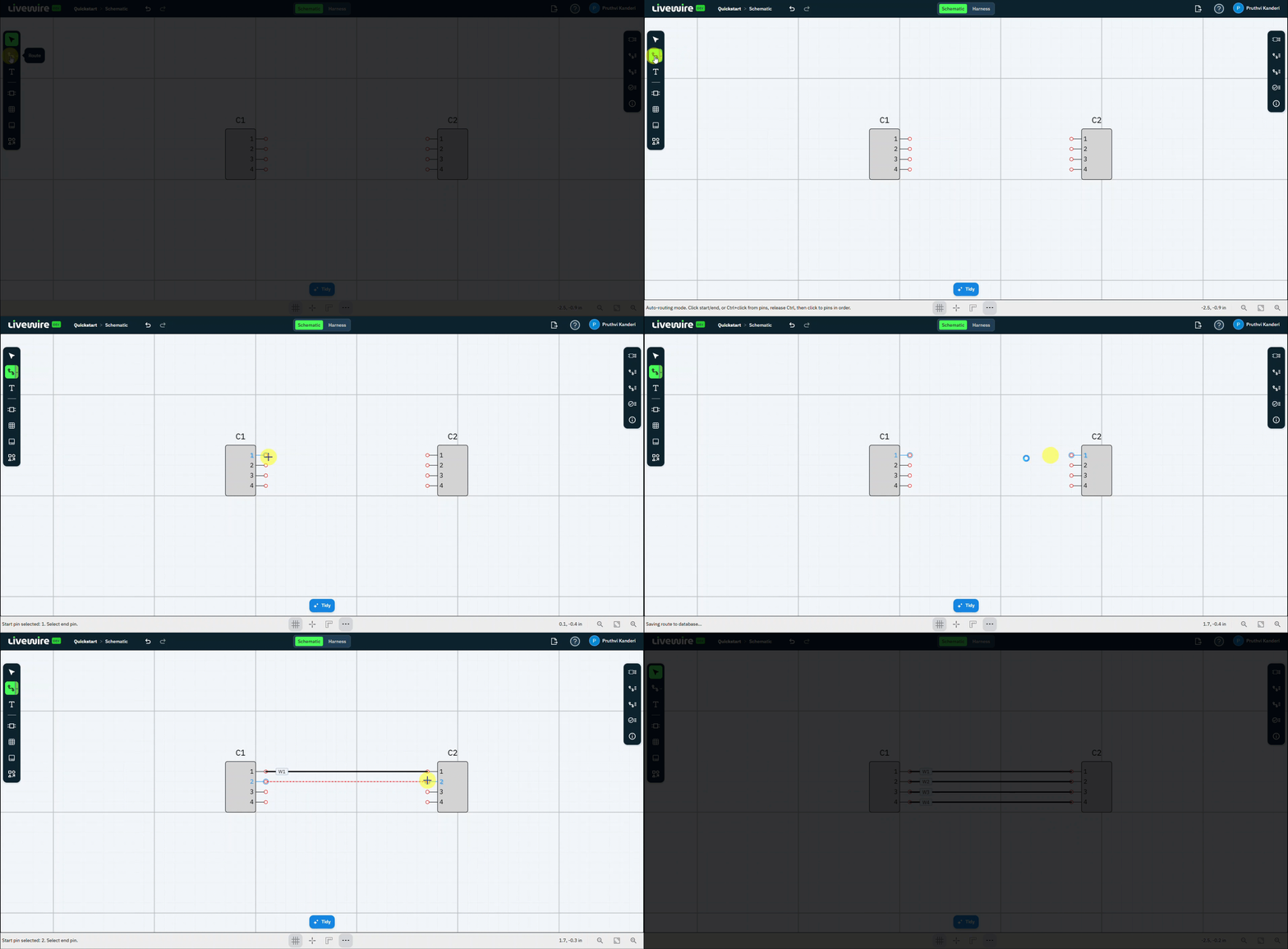
Connect your two connectors. With the Route command, you'll wire matching pins on C1 and C2 together, route all of them, then exit routing.
What to do
follow along above-
Select the Route command
On the left command bar, select Route to start wiring.
-
Pick the first pin
Click Pin 1 on connector C1.
-
Pick the matching pin
Click Pin 1 on connector C2. The route is created between the two pins.
-
Route the remaining pins
Repeat pin-to-pin to connect the rest — pin 2 to pin 2, and so on — until all pins are routed.
-
Exit the Route command
Press Esc to finish routing and return to the selection tool.
You should now have
Every pin on C1 wired to the matching pin on C2, with the Route command exited.