 Livewire
Assign wire data
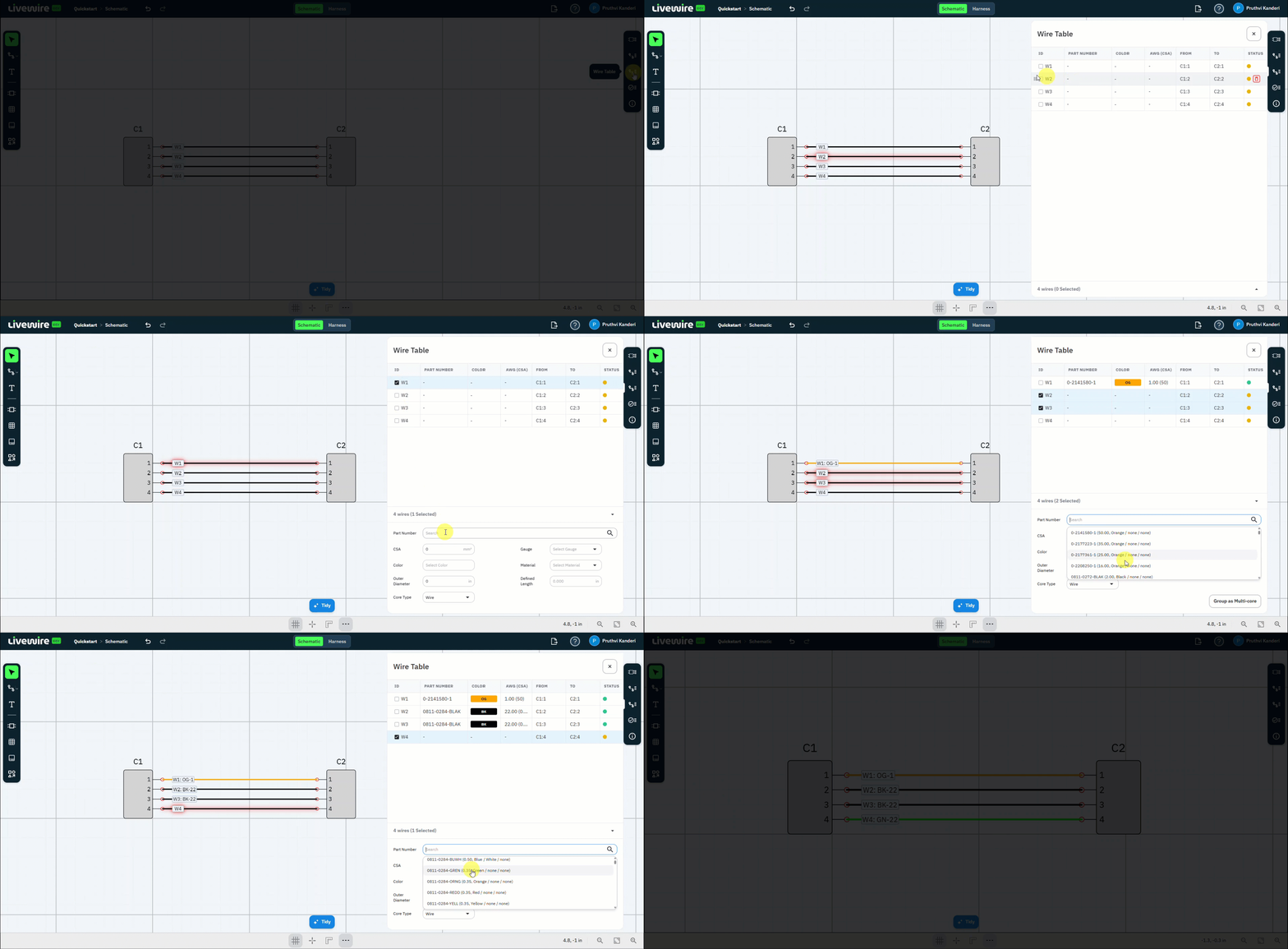
Give your wires real part data. Open the Wire Table, select a wire, and assign its part number so every route in the design carries a manufacturable part.
What to do
follow along above-
Open the Wire Table
On the right command bar, open the Wire Table to edit the data for your wires.
-
Select a wire
Select wire W1 in the table.
-
Assign the part number
Enter the wire part number 0-2141580-1 for the selected wire.
-
Repeat for the rest
Assign part numbers to the remaining wires — W2, W3, W4 — or continue to the next step.
You should now have
Wire W1 carrying part number 0-2141580-1 in the Wire Table — ready to repeat across the remaining wires.