 Livewire
Add manufacturing tables
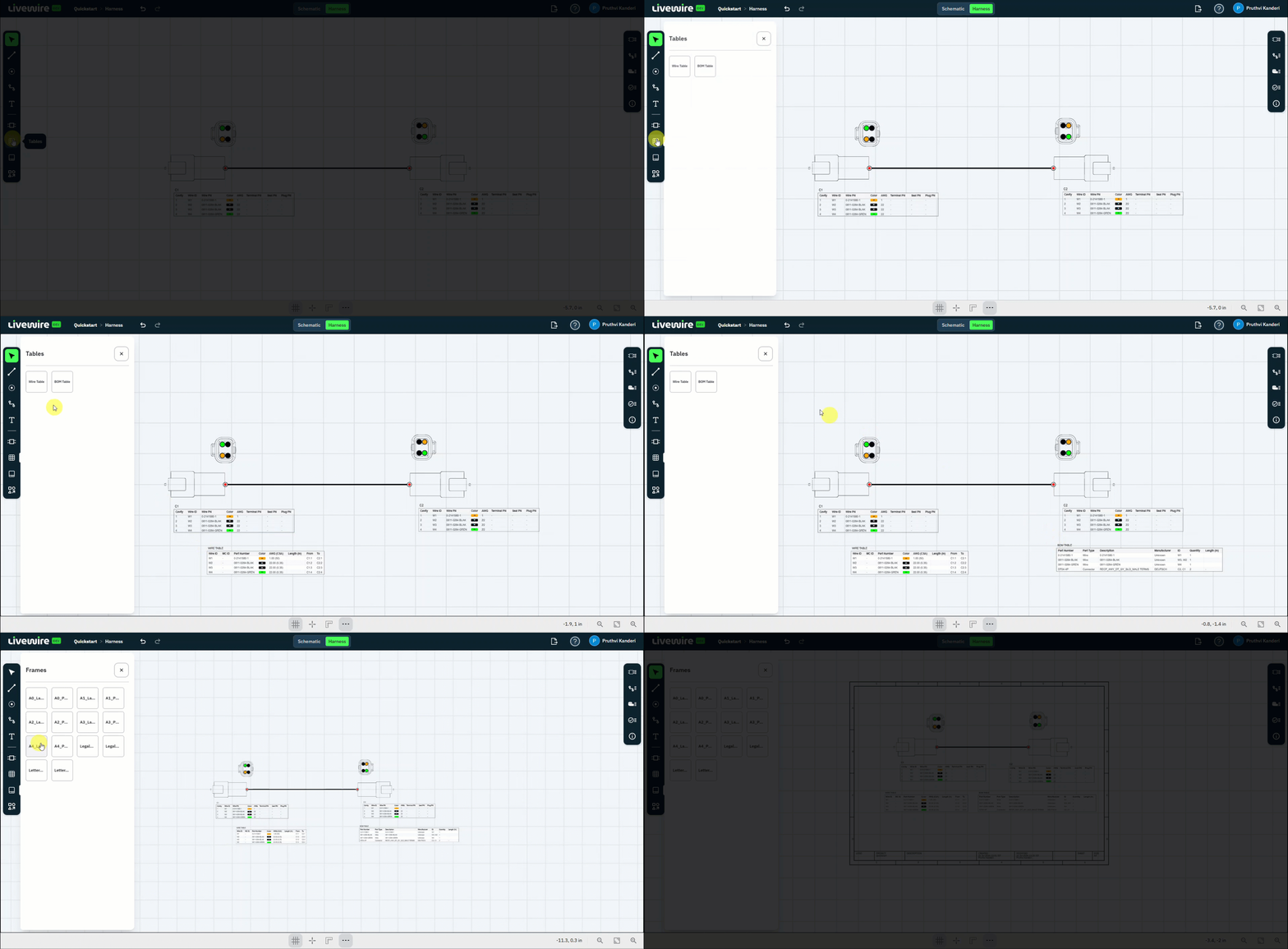
Turn the layout into a buildable drawing. Place the Wire Table and BOM Table on the canvas, then add an A4 landscape frame and size it around the harness.
What to do
follow along above-
Open Tables
On the left command bar, open Tables.
-
Place the Wire Table
Click Wire Table and place it on the canvas.
-
Place the BOM Table
Click BOM Table and place it on the canvas.
-
Open Frames
On the left command bar, open Frames.
-
Add an A4 landscape frame
Click A4 landscape to drop a drawing frame onto the canvas.
-
Fit the frame to the harness
Select the frame border and drag it to fit the harness and both tables within it.
You should now have
A Wire Table and BOM Table on the canvas, sitting inside an A4 landscape frame sized around the harness.